Audio and video transcriber with summaries, action items, and speaker labels
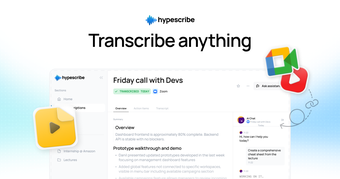
Hype Scribe is a freemium productivity web app that turns spoken audio into written text, so you don’t have to type out notes by hand. You can feed it recordings, video links, or live calls, and it returns a transcript that is easy to search.
From there, Hype Scribe aims to keep recording, reading, and sharing all in one place, whether you’re a student, a working professional, or a content creator. Expect a simple setup that gets you to usable notes quickly and with little effort, and it also fits classes, client calls, and other everyday work, much like TurboScribe does.
Less typing, more listening
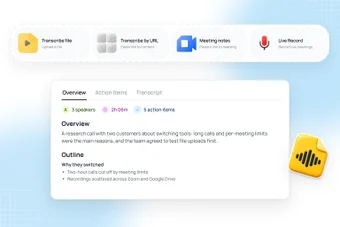
If you often sit through long calls or lectures, Hype Scribe gives you a way to get everything down without taking notes yourself. You upload an audio or video file, paste a link from platforms like YouTube or Vimeo, or record directly on your device, and the app handles the rest. It also detects the language automatically, so you don’t need to adjust any settings beforehand.
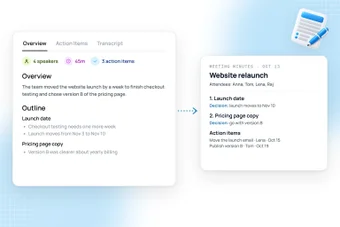
When it comes to the transcripts themselves, you get speaker labels and polished text with up to 99 percent accuracy. An hour of audio takes under 30 seconds to process, and recordings of any length are supported. On top of that, every recording gets a summary and a list of action items, while the AI chat helps you find quotes or draft follow-ups.
Meanwhile, the live note taker joins Zoom, Microsoft Teams, and Google Meet calls, and it can join automatically through your Google Calendar. You can then send transcripts to Slack, Notion Mail, Todoist, or Google Drive, or export them as Word, PDF, TXT, or Markdown files. However, the app removes your original audio and video once the transcript is ready, so you’ll want to keep your own copy of the recording.
Reliable transcriber
All in all, Hype Scribe covers the essentials of transcription well, from quick processing and speaker labels to summaries and integrations with common work tools. It fits students, remote workers, and creators who handle recordings regularly. If anything, it really comes down to how often you record, since frequent users will save the most time while occasional ones may not notice much of a difference.